The short answer
You can track workout progress without a spreadsheet by recording the same small set of details after each session: exercise, load, reps, work sets, date, and one short note when context changed. Compare the current result with the last genuinely comparable session. That is enough to see many useful training trends without maintaining rows, formulas, and tabs.
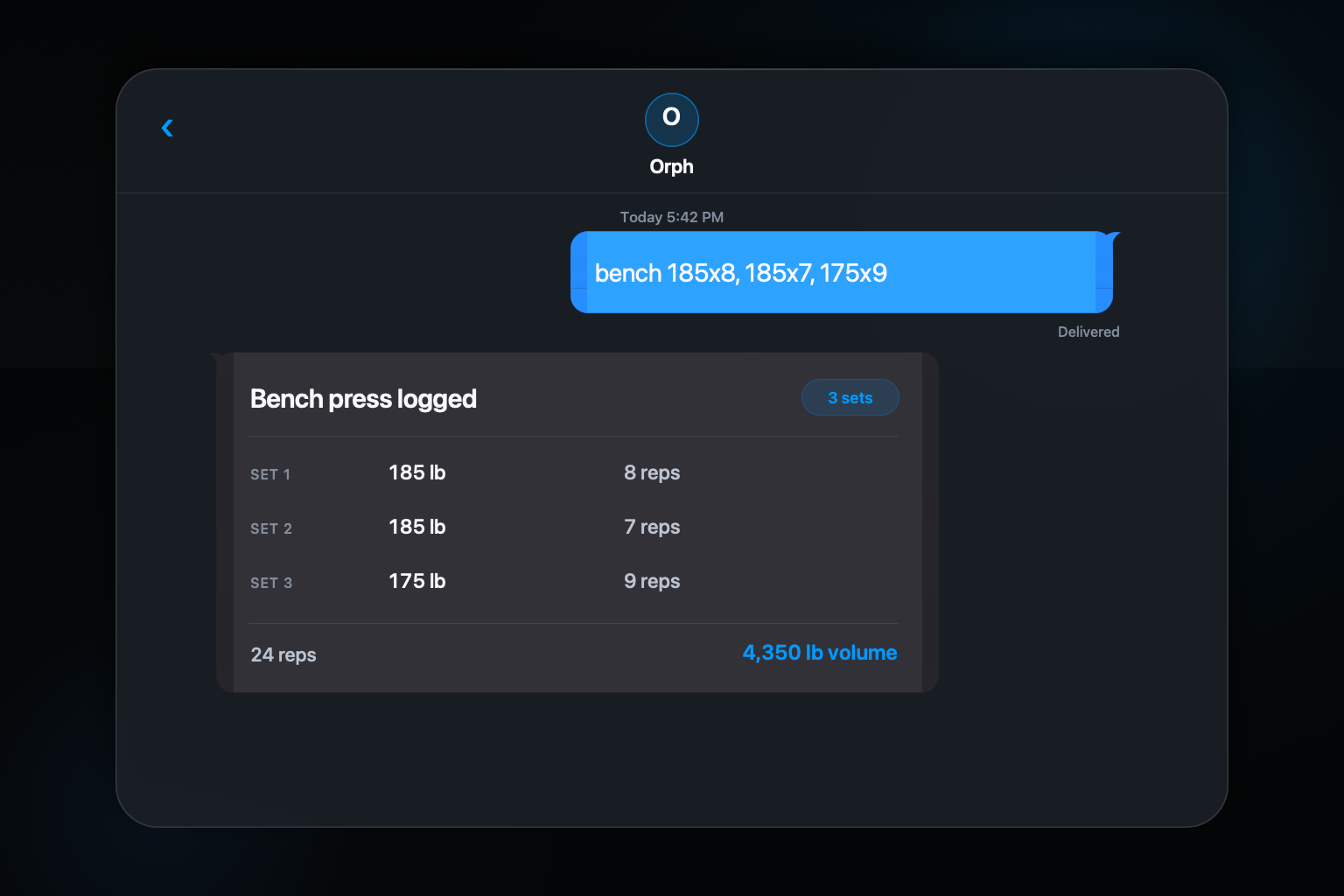
The hard part is not calculating a chart. It is capturing the session accurately while you are training. A text-based log keeps the input close to how many lifters already remember a set, then a structured history can handle the retrieval and arithmetic later.
Step by step: a simple way to do it
- 01
Choose stable exercise names
Use one recognizable name per movement variation so later sessions group together.
- 02
Record work sets and context
Capture load and completed reps, then add a brief note for changes such as pauses, equipment, or range of motion.
- 03
Compare the nearest matching session
Look at the same movement under similar conditions before deciding that a number rose or fell.
- 04
Review a short trend, not one result
Use several sessions to separate a pattern from an unusually good or difficult day.
Track the inputs you can reproduce
Exercise name, external load, completed reps, and work-set count form a practical base for strength training. Date comes automatically in most digital logs. A note earns its place when it explains why two entries should not be compared directly. A paused squat, a machine with a different lever arm, and a shortened range of motion may share a familiar name while representing different work.
Avoid collecting data merely because a field exists. If you never use rest time, mood scores, or a ten-point session rating, those required fields can become reasons to skip the log. Start with the facts that help you decide what to attempt or watch next time. You can add detail when a real review question demands it.
Use more than one sign of progress
Adding weight is an obvious form of progress, but it is not the only observable change. Completing more reps at the same load, performing another appropriate work set, or repeating the work with better control can also matter. The 2026 ACSM resistance training update discusses load, volume, frequency, and other variables as parts of resistance training prescription rather than reducing progress to one number.
A basic log captures some of those variables and misses others. It cannot verify technique from a text message, and it should not turn a pain note into a diagnosis. Use recorded numbers as context for your own plan or a qualified coach's judgment. Do not let a single metric pressure you into an unsafe increase.
Compare sessions that deserve comparison
Look first for the same exercise variation and similar set structure. A high-rep accessory session is not a failed version of a low-rep strength session. If the equipment, tempo, range, or plan changed, keep the entry but label the difference. Good history includes imperfect sessions without pretending every row belongs in the same contest.
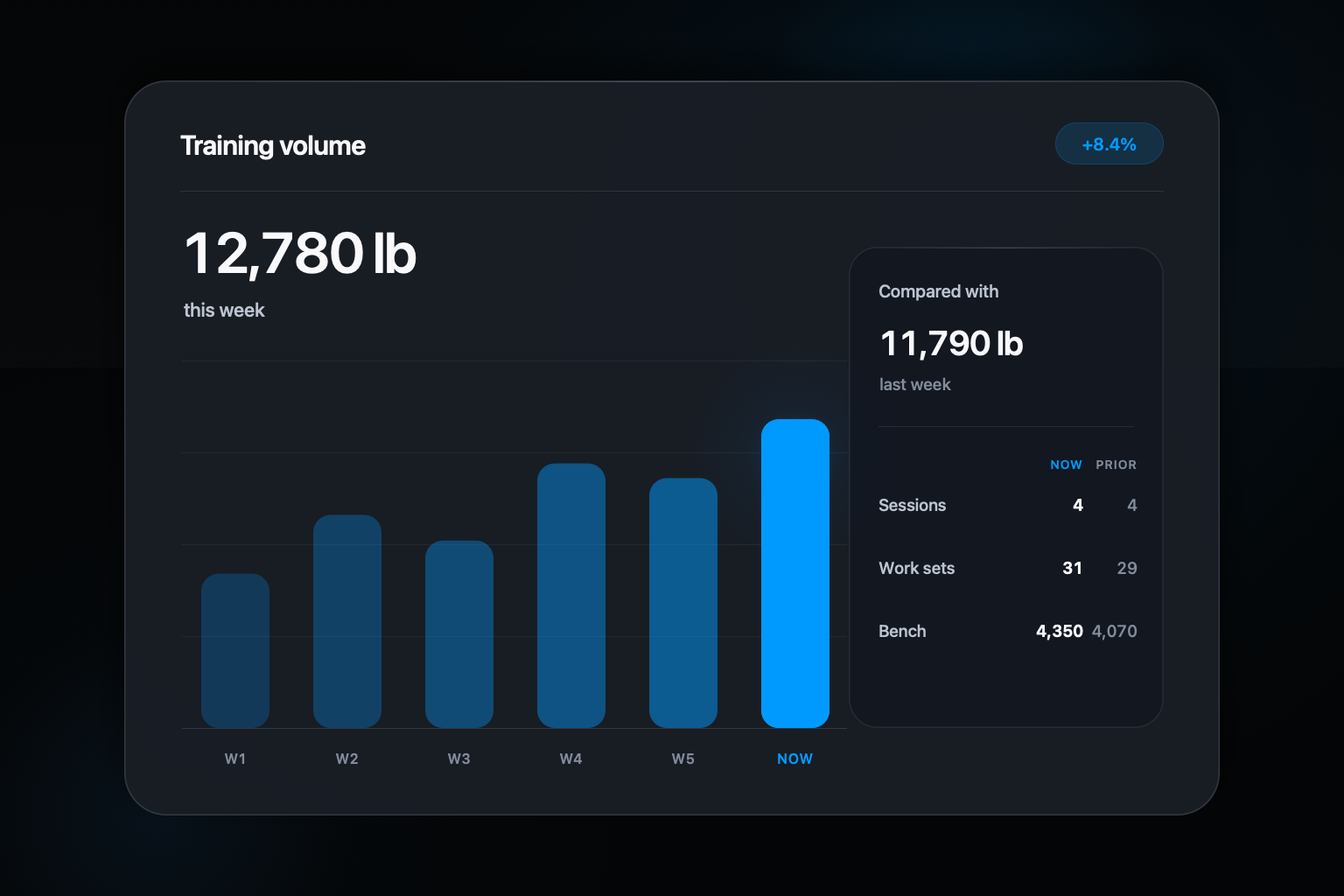
Then widen the window. One difficult workout may reflect sleep, schedule, illness, or normal variation. Several sessions moving in the same direction are more informative. A weekly or block-level review can reveal that a lift is stable even when the latest result felt disappointing.
Let the log do retrieval, not your memory
Spreadsheets are capable tools, but they ask you to design the structure and keep it current. A conversational tracker can preserve the shorthand at the moment of training, assign the entry to an exercise, and return the relevant history when you review it. That removes copying from a phone note into a sheet after the workout.
Orph is built around that separation. You text the set and read the confirmation. The companion app is intended to hold history and trends. The system still depends on what you send, so clear names and honest corrections matter more than an elaborate dashboard.
Common questions about this approach
Is workout volume the same as progress?
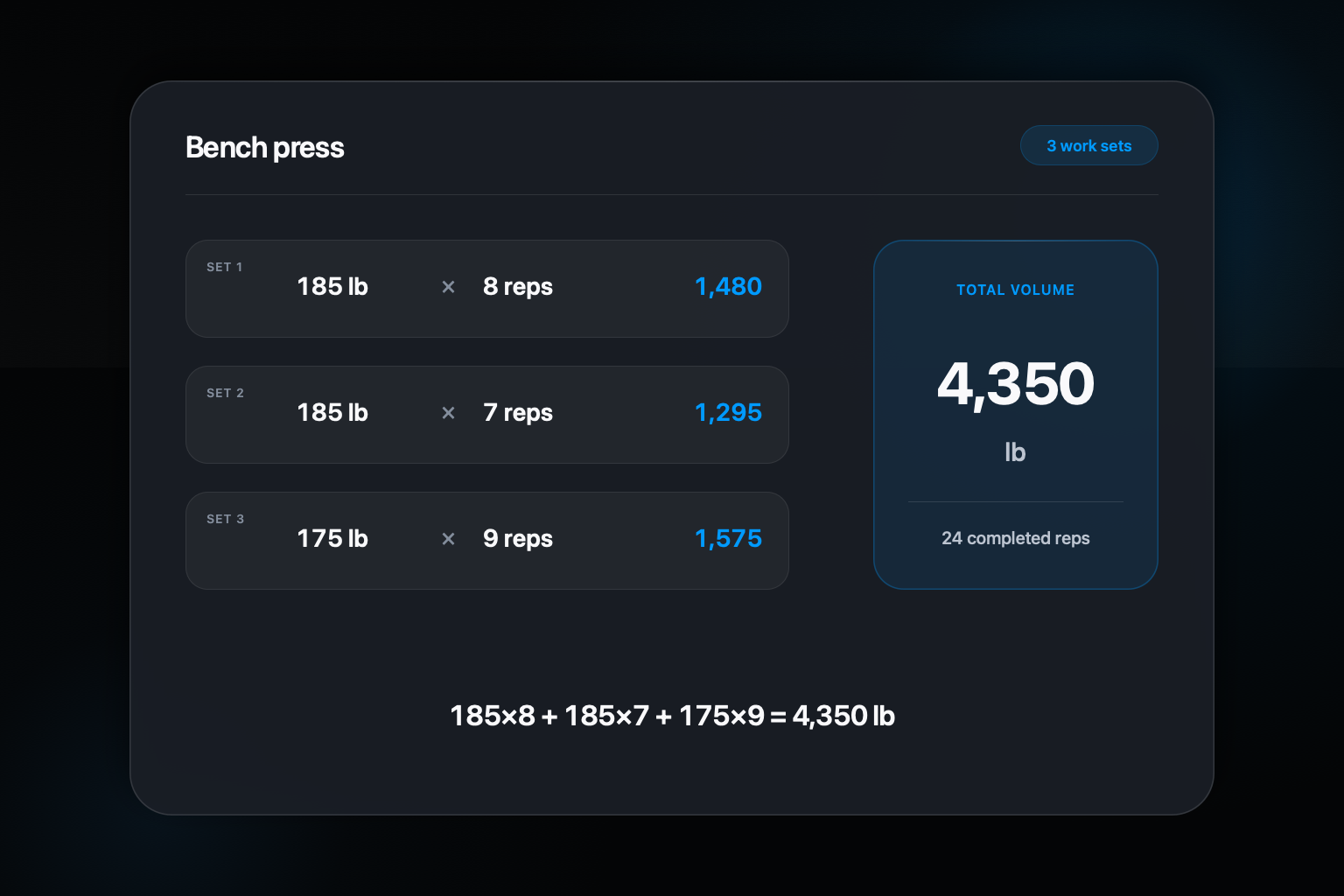
No. Volume is one useful description of work, but changes in load, reps, set quality, exercise variation, and the broader training plan can all affect what an entry means.
How often should I review workout progress?
Check the previous comparable session when planning the next attempt, then use a longer window to judge a trend. One unusually good or difficult workout rarely describes the whole direction.
Sources and further reading
Orph product behavior comes from the current site, Privacy Policy, and Terms. General background is supported by: